Pass Microsoft 365 MS-900 Exam in First Attempt Easily
Real Microsoft 365 MS-900 Exam Questions, Accurate & Verified Answers As Experienced in the Actual Test!

Verified by experts
3 products

You save $69.98

MS-900 Premium Bundle

  • Premium File 507 Questions & Answers
  • Last Update: Jun 3, 2026
  • Training Course 21 Lectures
  • Study Guide 317 Pages
$79.99 $149.97

Purchase Individually

  • Premium File

    507 Questions & Answers
    Last Update: Jun 3, 2026

    $76.99
    $69.99
  • Training Course

    21 Lectures

    $43.99
    $39.99
  • Study Guide

    317 Pages

    $43.99
    $39.99

Microsoft MS-900 Practice Test Questions, Microsoft MS-900 Exam Dumps

Passing the IT Certification Exams can be Tough, but with the right exam prep materials, that can be solved. ExamLabs providers 100% Real and updated Microsoft 365 MS-900 exam dumps, practice test questions and answers which can make you equipped with the right knowledge required to pass the exams. Our Microsoft MS-900 exam dumps, practice test questions and answers, are reviewed constantly by IT Experts to Ensure their Validity and help you pass without putting in hundreds and hours of studying.

Exploring the Fundamentals of Microsoft 365: MS‑900 Overview

The MS-900 exam, officially titled Microsoft 365 Fundamentals, is an entry-level certification designed to give candidates a broad and solid grasp of the Microsoft 365 ecosystem. It covers cloud concepts, core Microsoft 365 services, security, compliance, privacy, and the licensing and support options available within the platform. Unlike more advanced Microsoft certifications that require deep technical expertise, MS-900 is accessible to a wide audience including business decision-makers, IT beginners, sales professionals, and students who want to demonstrate foundational knowledge of the Microsoft 365 suite. The exam serves as a starting point for anyone looking to build a career or expand their role within environments that rely on Microsoft's cloud-based productivity platform.

The certification does not require any prerequisites, which makes it one of the most open and approachable credentials in the Microsoft catalog. Candidates do not need hands-on experience with the platform to sit for the exam, though familiarity with the tools certainly helps. The exam tests conceptual knowledge rather than technical configuration skills, meaning that candidates are expected to know what services do and why they matter rather than how to implement them at a granular level. This scope makes MS-900 particularly well-suited as a first step into the broader world of Microsoft certifications before moving on to role-based credentials like the Microsoft 365 Administrator Associate or Security Administrator Associate.

Cloud Computing Basic Concepts

Before diving into the specifics of Microsoft 365, the MS-900 exam establishes a foundation in general cloud computing concepts that every candidate must understand. Cloud computing refers to the delivery of computing services including servers, storage, databases, networking, software, and analytics over the internet, allowing organizations to access technology resources without owning or maintaining physical infrastructure. The exam covers the three primary cloud service models: Infrastructure as a Service, Platform as a Service, and Software as a Service. Each model represents a different level of abstraction, with IaaS providing the most control and SaaS providing the least, delegating most management responsibilities to the service provider.

Deployment models are also covered, including public cloud, private cloud, hybrid cloud, and multi-cloud configurations. The public cloud model, which is what Microsoft 365 primarily represents, involves services delivered over the internet and shared across multiple customers on Microsoft's infrastructure. The hybrid model combines on-premises infrastructure with cloud services, which is relevant for many organizations that are in the middle of a transition to the cloud. Candidates must understand the shared responsibility model, which defines which security and management tasks belong to the customer and which belong to Microsoft depending on the service type. This model is fundamental to understanding how cloud security works across all Microsoft 365 services.

Microsoft 365 Suite Components

Microsoft 365 is a comprehensive subscription-based platform that bundles together a wide range of productivity, collaboration, and security tools into a single offering. At its core, Microsoft 365 includes the familiar Office applications such as Word, Excel, PowerPoint, Outlook, and OneNote, which are available both as desktop applications and as web-based versions accessible through any modern browser. These applications form the productivity backbone of the suite and are the tools that most users interact with on a daily basis. However, Microsoft 365 extends far beyond these familiar apps to include a growing collection of cloud services that enable communication, collaboration, and information management at scale.

Among the most prominent additional services are Microsoft Teams for communication and collaboration, SharePoint for document management and intranet capabilities, Exchange Online for email and calendar services, OneDrive for cloud file storage, and Yammer for enterprise social networking. The suite also includes more specialized tools such as Microsoft Forms for surveys and quizzes, Microsoft Planner for task management, Microsoft Stream for video content, and Power Automate for workflow automation. Together, these services form an integrated ecosystem where data and workflows can move fluidly between applications, enabling organizations to build connected digital workplaces that support a wide variety of business processes and communication styles.

Microsoft Teams Core Capabilities

Microsoft Teams is one of the flagship services within Microsoft 365 and has become the central hub for communication and collaboration in countless organizations around the world. Teams provides persistent chat, video conferencing, voice calling, file sharing, and application integration within a single interface, making it possible for teams to communicate and collaborate without switching between multiple tools. The platform is organized around the concept of teams and channels, where a team represents a group of people working together and channels represent specific topics or workstreams within that group. This structure helps organizations maintain organized conversations and keep related content accessible in a logical way.

Beyond basic communication, Teams integrates deeply with other Microsoft 365 services, allowing users to co-author documents in Word, Excel, or PowerPoint directly within the Teams interface, access SharePoint files, view Planner tasks, and join calendar meetings without leaving the application. Teams also supports external collaboration through guest access, allowing people outside the organization to participate in teams and channels with appropriate permissions. The platform's meeting capabilities have grown significantly in recent years, with features like breakout rooms, live captions, meeting recordings stored in OneDrive or SharePoint, and Together Mode, which places participants in a shared virtual environment to create a more connected meeting experience.

SharePoint and OneDrive Functions

SharePoint Online is one of the most powerful and versatile services in the Microsoft 365 suite, serving as the platform's primary engine for document management, team sites, communication sites, and intranet experiences. Organizations use SharePoint to store, organize, share, and collaborate on documents and content, with features like version history, co-authoring, metadata tagging, and granular permission settings that make it suitable for managing everything from simple team file repositories to complex document workflows. SharePoint's integration with Teams means that every team created in Teams automatically gets a corresponding SharePoint site, creating a seamless connection between collaboration spaces and document storage.

OneDrive for Business is the personal cloud storage component of Microsoft 365, giving each licensed user a dedicated storage space for their own files that can be accessed from any device. Unlike SharePoint, which is designed for shared team content, OneDrive is intended for individual files that a user may or may not choose to share with others. Files stored in OneDrive can be synced to a local device for offline access and shared with colleagues, partners, or external users with varying levels of permission. The integration between OneDrive and the Office applications means that saving and accessing files in the cloud is as natural and seamless as working with files stored locally, which has helped drive widespread adoption of cloud-based file storage across organizations of all sizes.

Exchange Online Email Services

Exchange Online is the cloud-based email and calendaring service within Microsoft 365, providing enterprise-grade email functionality without the complexity and cost of maintaining on-premises Exchange servers. It offers each user a mailbox with generous storage capacity, along with shared mailboxes, resource mailboxes for meeting rooms and equipment, and distribution groups for sending messages to multiple recipients. Exchange Online also provides rich calendaring features including shared calendars, room booking, and scheduling assistance through the Scheduling Assistant tool, which helps users find meeting times that work across multiple participants' availability.

From an administrative perspective, Exchange Online includes powerful tools for managing email security, compliance, and governance. Features such as anti-spam and anti-malware filtering, connection filtering, and outbound spam policies help protect organizations from email-based threats. Compliance features include litigation hold, which preserves mailbox content for legal purposes, and the ability to conduct content searches across mailboxes for eDiscovery purposes. Exchange Online also supports email encryption through Microsoft Purview Message Encryption, allowing users to send encrypted messages to recipients inside or outside the organization. These capabilities make Exchange Online a serious enterprise email platform that meets the needs of regulated industries and security-conscious organizations.

Security Features Within Platform

Security is one of the most prominent themes in the MS-900 exam, reflecting the central role that Microsoft 365 plays in protecting organizational data and identities. Microsoft 365 includes a layered security architecture that addresses threats across identities, endpoints, applications, and data. Microsoft Entra ID, formerly Azure Active Directory, serves as the identity foundation of the platform, providing authentication and access management for all Microsoft 365 services. Features like multi-factor authentication, conditional access policies, and identity protection help ensure that only authorized users can access organizational resources, even if their credentials are compromised.

Microsoft Defender for Microsoft 365 provides threat protection across email, collaboration tools, endpoints, and cloud applications. It includes capabilities such as Safe Links and Safe Attachments, which scan URLs and email attachments in real time to detect and block malicious content before it reaches users. Microsoft Defender for Endpoint extends protection to devices managed by the organization, providing behavioral analysis, threat detection, and automated response capabilities. The exam expects candidates to understand what these security tools do and how they work together as part of Microsoft's broader Zero Trust security approach, which assumes that no user or device should be trusted by default and that all access requests must be verified continuously.

Compliance and Data Protection

Compliance is a significant component of the MS-900 exam, covering the tools and frameworks within Microsoft 365 that help organizations meet their legal, regulatory, and internal data governance obligations. Microsoft Purview is the unified platform for compliance and data governance within Microsoft 365, encompassing a wide range of capabilities including data classification, data loss prevention, information protection, records management, and eDiscovery. Candidates must understand the purpose of these capabilities and how they help organizations protect sensitive information, meet regulatory requirements, and respond to legal and investigative requests.

Data loss prevention policies are a particularly important topic, as they represent one of the most commonly implemented compliance controls in Microsoft 365 environments. DLP policies can detect and prevent the sharing of sensitive information such as credit card numbers, social security numbers, and health records across email, Teams, SharePoint, and OneDrive. Microsoft Purview Information Protection allows organizations to classify and label documents and emails based on their sensitivity, applying protection settings such as encryption and access restrictions that travel with the content wherever it goes. These tools collectively give organizations the means to implement data governance programs that protect both their own interests and the privacy rights of the individuals whose data they handle.

Privacy Principles Microsoft Follows

Privacy is a core commitment of Microsoft's approach to cloud services, and the MS-900 exam expects candidates to understand the key privacy principles that govern how Microsoft handles customer data. Microsoft operates under a set of privacy commitments that include giving customers control over their own data, being transparent about how data is used, providing strong security to protect data, and not using customer data to target advertising. These commitments are codified in Microsoft's Online Services Terms and Data Processing Addendum, which define the contractual obligations Microsoft accepts regarding the handling of customer data processed through its cloud services.

The exam also covers the concept of data residency, which refers to the geographic location where Microsoft stores customer data at rest. Many organizations, particularly those in regulated industries or countries with strict data sovereignty laws, need to ensure that their data is stored within specific geographic boundaries. Microsoft addresses this through its regional datacenter infrastructure and through tools like the Microsoft 365 Data Residency offerings that give customers greater control over where their data is stored. Candidates should understand the difference between the data that Microsoft collects for service operation purposes and the customer content data that belongs to the organization, as this distinction is fundamental to understanding Microsoft's privacy model.

Licensing Options and Plans

Microsoft 365 is available in a variety of licensing plans designed to meet the needs of different types of customers, from individual consumers to large enterprises. The main categories of plans include Microsoft 365 Business plans for small and medium-sized businesses with up to 300 users, Microsoft 365 Enterprise plans for larger organizations with more complex needs, and Microsoft 365 Frontline Worker plans for employees who work in industries like retail, manufacturing, and healthcare and do not primarily work at a desk. Each category includes multiple tiers with different combinations of features and price points, allowing organizations to choose the level of functionality that matches their requirements and budget.

The Business plans include Business Basic, Business Standard, and Business Premium, with each successive tier adding more features. Business Premium, for example, includes advanced security and compliance capabilities that are not available in the lower tiers. The Enterprise plans follow a similar pattern with E3 and E5 being the most commonly deployed tiers in large organizations, with E5 including the most comprehensive set of security, compliance, and analytics features. Candidates preparing for MS-900 should have a general understanding of what each major plan tier includes and the types of organizations they are designed for, as licensing questions appear regularly in the exam and require candidates to match business scenarios to appropriate plan recommendations.

Support and Service Lifecycle

Microsoft provides multiple levels of support for Microsoft 365 customers, and the MS-900 exam expects candidates to understand the support options available and how they differ. All Microsoft 365 subscriptions include access to Microsoft's technical support, which can be reached through the Microsoft 365 admin center. Depending on the severity of the issue, customers can submit support requests online or request a callback from a support engineer. Microsoft categorizes support cases by severity, with critical issues that affect the entire organization receiving the fastest response times. Organizations with more demanding support needs can purchase enhanced support plans such as Unified Support, which provides proactive services and a dedicated customer success account manager.

The service lifecycle is another important topic that covers how Microsoft manages updates and changes to Microsoft 365 services. Unlike traditional on-premises software that follows fixed release cycles, Microsoft 365 is a continuously updated service where new features and improvements are delivered on an ongoing basis. Microsoft uses a structured update release process with rings that allow organizations to control when they receive new features. The Targeted Release option lets a subset of users receive updates early, providing an opportunity to test new functionality before it rolls out to the entire organization. The Standard Release option delivers updates after they have been validated through Targeted Release, giving most organizations a balance between staying current and maintaining stability.

Microsoft 365 Admin Center

The Microsoft 365 admin center is the central management portal through which administrators configure and manage their organization's Microsoft 365 environment. It provides access to user management, licensing assignment, service configuration, billing and subscription management, support requests, and health monitoring for all Microsoft 365 services. The admin center is designed to be accessible to administrators with varying levels of technical expertise, with a clean interface and guided setup experiences that simplify common administrative tasks. Role-based access within the admin center allows organizations to delegate specific administrative responsibilities to different team members without giving everyone full administrative privileges.

Within the admin center, administrators can access specialized sub-portals for individual services such as the Exchange admin center for email management, the Teams admin center for collaboration settings, the SharePoint admin center for site management, and the Microsoft Purview compliance portal for data governance. Each of these specialized portals provides deeper configuration options than the main admin center, allowing administrators to fine-tune service settings to meet organizational requirements. The MS-900 exam does not require candidates to know how to perform specific administrative tasks, but it does expect a general understanding of what the admin center is, what it is used for, and why centralized management through a unified portal is advantageous for organizations managing a complex suite of cloud services.

Productivity and Collaboration Benefits

One of the primary reasons organizations adopt Microsoft 365 is the significant improvement in productivity and collaboration that the platform enables. By bringing together communication tools like Teams and email, document collaboration tools like Word and SharePoint, and task management tools like Planner and To Do into a single integrated platform, Microsoft 365 reduces the friction of working across multiple disconnected tools. Employees can move between activities seamlessly, accessing all the resources and people they need within a consistent interface. This integration is particularly valuable in hybrid work environments where employees split their time between the office and remote locations and need reliable tools to stay connected regardless of where they are working.

The real-time co-authoring capabilities in Microsoft 365 applications are a concrete example of how the platform enhances collaboration. Multiple users can work on the same Word document, Excel spreadsheet, or PowerPoint presentation simultaneously, with each person's changes appearing in real time for all other collaborators. This eliminates the confusion and inefficiency of emailing document attachments back and forth and ensures that everyone is always working from the most current version. Combined with version history, which allows users to review and restore previous versions of a document, co-authoring makes collaborative document work more transparent, efficient, and reliable than was possible with traditional software distribution models.

Power Platform Brief Introduction

The Power Platform is a suite of low-code and no-code tools that extends the capabilities of Microsoft 365 by enabling users to build custom applications, automate workflows, analyze data, and create virtual agents without requiring extensive programming expertise. The four main components of the Power Platform are Power Apps, Power Automate, Power BI, and Power Virtual Agents. Power Apps allows users to build custom business applications using a drag-and-drop interface, connecting to data sources like SharePoint lists, Excel tables, and external databases. Power Automate, formerly known as Microsoft Flow, enables the automation of repetitive tasks and business processes through visual workflow builders that connect Microsoft 365 services and hundreds of third-party applications.

Power BI is Microsoft's business intelligence and data visualization tool, allowing users to connect to data sources, build interactive reports and dashboards, and share insights with colleagues across the organization. Power Virtual Agents enables the creation of intelligent chatbots that can answer questions and complete tasks for employees or customers without requiring developer involvement. While MS-900 does not test deep knowledge of the Power Platform, candidates are expected to understand what it is, how it relates to Microsoft 365, and what kinds of business problems each component is designed to address. The Power Platform represents Microsoft's broader vision of democratizing technology by putting powerful tools in the hands of business users who traditionally had to rely on IT departments to build or automate anything.

Endpoint Management and Intune

Device and endpoint management is a topic that appears in the MS-900 exam as part of the broader discussion of how Microsoft 365 helps organizations manage and secure the devices that employees use to access organizational resources. Microsoft Intune is the cloud-based endpoint management service included in many Microsoft 365 plans, providing capabilities for managing mobile devices, desktop computers, and applications. With Intune, administrators can enroll devices into management, apply configuration policies, enforce compliance requirements, deploy applications, and remotely wipe devices if they are lost or stolen. These capabilities are essential for organizations that need to maintain security and compliance across a diverse fleet of devices.

Microsoft Endpoint Manager is the unified management platform that brings together Intune and Configuration Manager, Microsoft's on-premises device management tool, into a single console. This convergence allows organizations to manage both cloud-connected and on-premises devices from a single platform, which is particularly valuable for organizations in the middle of a transition from traditional on-premises management to cloud-based management. The exam expects candidates to understand the basic purpose of Intune and Endpoint Manager and why endpoint management is important in a world where employees use a variety of personal and corporate devices to access organizational data from locations outside the traditional corporate network perimeter.

Exam Preparation Study Approach

Preparing effectively for the MS-900 exam requires a structured approach that covers all the domains outlined in the official skills measured document published on Microsoft's exam page. The exam is divided into several weighted sections, with cloud concepts, core Microsoft 365 services, security and compliance, and pricing and licensing each representing a defined percentage of the total exam content. Candidates should use the skills measured document as their primary study roadmap, ensuring that they devote appropriate attention to each section based on its relative weight. Skipping sections or focusing disproportionately on familiar topics at the expense of less familiar ones is one of the most common preparation mistakes.

Microsoft Learn is the recommended starting point for exam preparation, offering a free, structured learning path specifically designed for MS-900 that covers all exam objectives through readable modules and interactive exercises. Candidates who work through the entire Microsoft Learn path will have a solid theoretical foundation, though supplementing with additional resources such as video courses, practice exams, and study guides can further strengthen readiness. Practice exams are especially valuable for identifying weak areas and building familiarity with the question style and format used in the real exam. Because MS-900 is a fundamentals-level certification, candidates who invest two to four weeks of consistent study time will typically find themselves well prepared to pass on their first attempt.

Career Pathways After Certification

Earning the MS-900 certification opens several career pathways depending on the professional background and goals of the individual who achieves it. For IT professionals, it serves as a foundation for pursuing more advanced Microsoft certifications in areas such as Microsoft 365 administration, security, endpoint management, or Teams administration. The associate-level certifications that build naturally on MS-900 include the Microsoft 365 Certified: Administrator Expert, the Microsoft 365 Certified: Security Administrator Associate, and the Microsoft 365 Certified: Teams Administrator Associate, each of which validates deeper expertise in a specific area of the Microsoft 365 platform.

For non-technical professionals such as sales representatives, business analysts, project managers, and executives, MS-900 provides the vocabulary and conceptual framework needed to participate meaningfully in conversations about Microsoft 365 adoption, licensing, and strategy. Sales professionals at Microsoft partners often pursue MS-900 as part of their preparation for customer-facing roles where they need to articulate the value of Microsoft 365 clearly and confidently. Business decision-makers who earn the certification are better equipped to evaluate Microsoft 365 as a solution for their organizations, assess licensing options intelligently, and engage productively with IT teams on implementation and governance decisions. In this sense, MS-900 is one of the few Microsoft certifications that delivers genuine value across both technical and business career tracks.

Conclusion

The MS-900 Microsoft 365 Fundamentals certification represents an accessible and genuinely valuable entry point into the Microsoft cloud ecosystem for professionals from a wide range of backgrounds. Whether you approach it as the first step in a technical certification journey, a credential to support a sales or business development career, or simply as a way to formalize knowledge you have already accumulated through daily use of Microsoft 365 tools, the certification delivers tangible benefits that extend well beyond the exam itself. The process of preparing for it forces candidates to develop a coherent mental model of how the various components of Microsoft 365 fit together, which is knowledge that pays dividends in any professional role that touches the platform.

The breadth of the exam's coverage, from cloud computing fundamentals and core productivity services to security, compliance, privacy, licensing, and support, reflects the true scope of what Microsoft 365 is as a platform. It is not simply a collection of productivity applications but a comprehensive cloud environment that addresses nearly every dimension of an organization's technology needs, from communication and collaboration to data governance and endpoint security. Candidates who engage seriously with this material come away with an appreciation for the depth and integration of the platform that most casual users never develop, and that perspective is genuinely useful in professional contexts.

For those who see MS-900 as a stepping stone to more advanced certifications, the foundational knowledge it builds is indispensable. The concepts introduced at the fundamentals level, such as the shared responsibility model, identity management, data classification, compliance frameworks, and licensing structures, reappear in more complex and technical forms across every subsequent Microsoft 365 certification. Candidates who invest the time to truly understand these concepts at the fundamentals level, rather than simply memorizing answers for the exam, will find that their preparation for subsequent certifications is significantly more efficient and effective. The conceptual groundwork laid by MS-900 makes every subsequent layer of Microsoft 365 knowledge easier to build and retain.

From a broader career perspective, cloud skills in general and Microsoft 365 skills in particular are among the most consistently in-demand capabilities in the technology job market. Organizations of every size and industry rely on Microsoft 365 as a core part of their digital infrastructure, which means that professionals who understand the platform well are valuable in virtually every employment context. Earning MS-900 is a signal to current and prospective employers that you have made a deliberate investment in developing that understanding, and it provides a credible, vendor-recognized basis for the claims you make about your knowledge of the platform. For anyone operating in or aspiring to enter the modern digital workplace, the Microsoft 365 Fundamentals certification is an investment of time and effort that consistently delivers meaningful professional returns.


Choose ExamLabs to get the latest & updated Microsoft MS-900 practice test questions, exam dumps with verified answers to pass your certification exam. Try our reliable MS-900 exam dumps, practice test questions and answers for your next certification exam. Premium Exam Files, Question and Answers for Microsoft MS-900 are actually exam dumps which help you pass quickly.

Hide

Read More

How to Open VCE Files

Please keep in mind before downloading file you need to install Avanset Exam Simulator Software to open VCE files. Click here to download software.

Related Exams

  • AZ-104 - Microsoft Azure Administrator
  • DP-700 - Implementing Data Engineering Solutions Using Microsoft Fabric
  • AZ-305 - Designing Microsoft Azure Infrastructure Solutions
  • SC-300 - Microsoft Identity and Access Administrator
  • PL-300 - Microsoft Power BI Data Analyst
  • AI-900 - Microsoft Azure AI Fundamentals
  • MD-102 - Endpoint Administrator
  • AB-100 - Agentic AI Business Solutions Architect
  • MS-102 - Microsoft 365 Administrator
  • AI-102 - Designing and Implementing a Microsoft Azure AI Solution
  • AZ-900 - Microsoft Azure Fundamentals
  • AB-900 - Microsoft 365 Copilot and Agent Administration Fundamentals
  • SC-200 - Microsoft Security Operations Analyst
  • AB-730 - AI Business Professional
  • AZ-700 - Designing and Implementing Microsoft Azure Networking Solutions
  • DP-600 - Implementing Analytics Solutions Using Microsoft Fabric
  • SC-401 - Administering Information Security in Microsoft 365
  • AB-731 - AI Transformation Leader
  • SC-100 - Microsoft Cybersecurity Architect
  • AZ-500 - Microsoft Azure Security Technologies
  • AZ-204 - Developing Solutions for Microsoft Azure
  • GH-300 - GitHub Copilot
  • SC-900 - Microsoft Security, Compliance, and Identity Fundamentals
  • PL-400 - Microsoft Power Platform Developer
  • AZ-140 - Configuring and Operating Microsoft Azure Virtual Desktop
  • DP-300 - Administering Microsoft Azure SQL Solutions
  • PL-200 - Microsoft Power Platform Functional Consultant
  • AZ-400 - Designing and Implementing Microsoft DevOps Solutions
  • AZ-801 - Configuring Windows Server Hybrid Advanced Services
  • AZ-800 - Administering Windows Server Hybrid Core Infrastructure
  • PL-600 - Microsoft Power Platform Solution Architect
  • PL-900 - Microsoft Power Platform Fundamentals
  • MB-800 - Microsoft Dynamics 365 Business Central Functional Consultant
  • MS-700 - Managing Microsoft Teams
  • MB-330 - Microsoft Dynamics 365 Supply Chain Management
  • DP-900 - Microsoft Azure Data Fundamentals
  • MB-310 - Microsoft Dynamics 365 Finance Functional Consultant
  • DP-100 - Designing and Implementing a Data Science Solution on Azure
  • MB-280 - Microsoft Dynamics 365 Customer Experience Analyst
  • AI-300 - Operationalizing Machine Learning and Generative AI Solutions
  • MB-230 - Microsoft Dynamics 365 Customer Service Functional Consultant
  • MB-820 - Microsoft Dynamics 365 Business Central Developer
  • MS-721 - Collaboration Communications Systems Engineer
  • MS-900 - Microsoft 365 Fundamentals
  • AI-103 - Developing AI Apps and Agents on Azure
  • GH-900 - GitHub Foundations
  • GH-200 - GitHub Actions
  • MB-335 - Microsoft Dynamics 365 Supply Chain Management Functional Consultant Expert
  • DP-420 - Designing and Implementing Cloud-Native Applications Using Microsoft Azure Cosmos DB
  • MB-500 - Microsoft Dynamics 365: Finance and Operations Apps Developer
  • MB-700 - Microsoft Dynamics 365: Finance and Operations Apps Solution Architect
  • GH-500 - GitHub Advanced Security
  • PL-500 - Microsoft Power Automate RPA Developer
  • GH-100 - GitHub Administration
  • AZ-120 - Planning and Administering Microsoft Azure for SAP Workloads
  • SC-400 - Microsoft Information Protection Administrator
  • MB-240 - Microsoft Dynamics 365 for Field Service
  • DP-800 - Developing AI-Enabled Database Solutions
  • MB-920 - Microsoft Dynamics 365 Fundamentals Finance and Operations Apps (ERP)
  • DP-203 - Data Engineering on Microsoft Azure
  • 98-382 - Introduction to Programming Using JavaScript
  • MO-200 - Microsoft Excel (Excel and Excel 2019)
  • MO-400 - Microsoft Outlook (Outlook and Outlook 2019)
  • MB-910 - Microsoft Dynamics 365 Fundamentals Customer Engagement Apps (CRM)
  • 98-367 - Security Fundamentals
  • 98-375 - HTML5 App Development Fundamentals
  • DP-750 - Implementing Data Engineering Solutions Using Azure Databricks
  • 62-193 - Technology Literacy for Educators
  • 98-383 - Introduction to Programming Using HTML and CSS

Purchase Individually

  • Premium File

    507 Questions & Answers
    Last Update: Jun 3, 2026

    $76.99
    $69.99
  • Training Course

    21 Lectures

    $43.99
    $39.99
  • Study Guide

    317 Pages

    $43.99
    $39.99

Microsoft MS-900 Training Course

Try Our Special Offer for
Premium MS-900 VCE File

  • Verified by experts

MS-900 Premium File

  • Real Questions
  • Last Update: Jun 3, 2026
  • 100% Accurate Answers
  • Fast Exam Update

$69.99

$76.99

SPECIAL OFFER: GET 10% OFF
This is ONE TIME OFFER

You save
10%

Enter Your Email Address to Receive Your 10% Off Discount Code

SPECIAL OFFER: GET 10% OFF

You save
10%

Use Discount Code:

A confirmation link was sent to your e-mail.

Please check your mailbox for a message from support@examlabs.com and follow the directions.

Download Free Demo of VCE Exam Simulator

Experience Avanset VCE Exam Simulator for yourself.

Simply submit your email address below to get started with our interactive software demo of your free trial.

  • Realistic exam simulation and exam editor with preview functions
  • Whole exam in a single file with several different question types
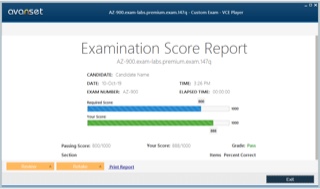
  • Customizable exam-taking mode & detailed score reports